Transcripts
Transcripts are available on every plan. Free includes two slow hours per month. Choose Text only to keep a transcript without saving a playable voice clip.
A room keeps transcripts when you choose Text only or Voice and text under Keep a copy of talks. It is off in every new room. Your voice is turned into text only if you say yes with Save and transcribe my voice. Transcripts are deleted at the room’s keep time, up to 7 days on Free or the plan’s room history on paid plans.
Turn them on (owners and admins)
Choose Nothing, Voice clips, Text only or Voice and text. Text only leaves Replay off. You can set the keep time for each type you enable.
Phone
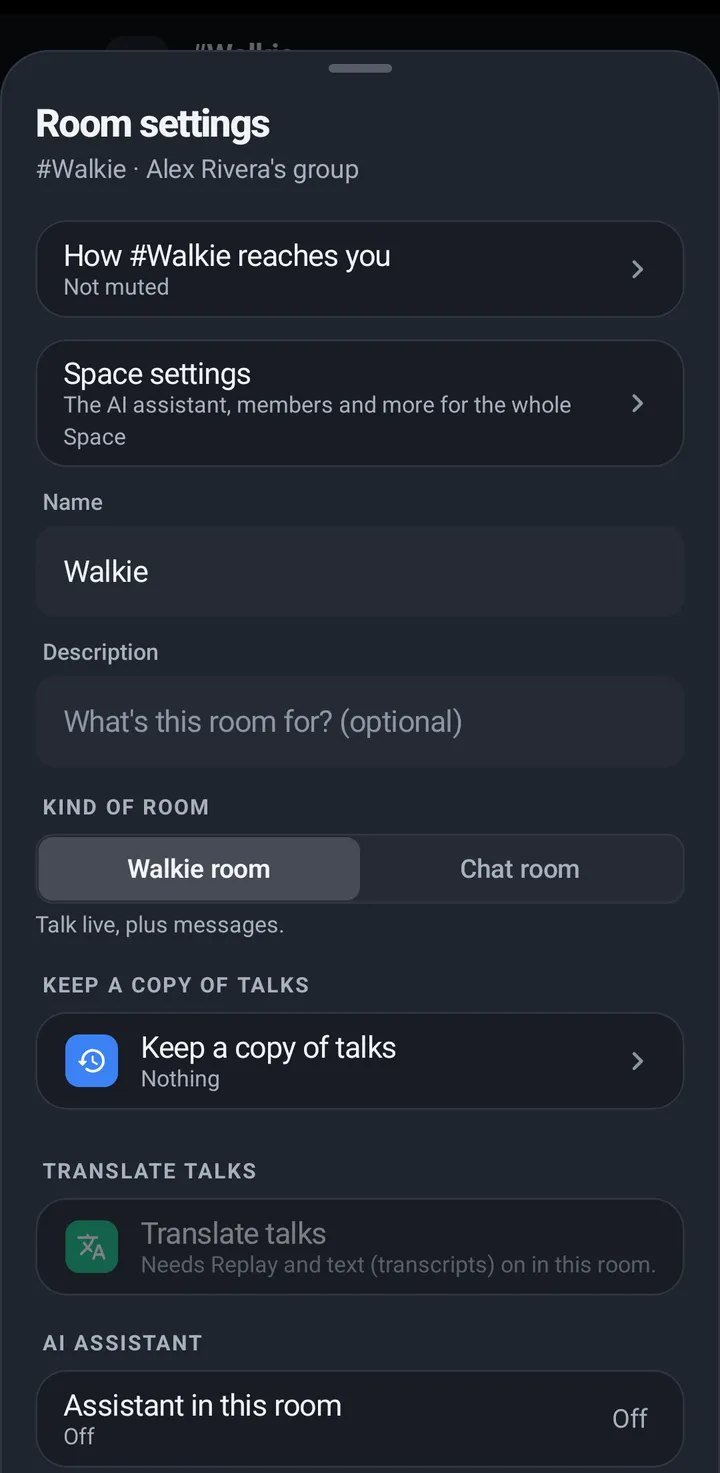
- Open Room settings › Keep a copy of talks. Choose Text only for transcripts, or Voice and text to keep playable clips as well.
- For rooms you add later: Group settings › Advanced › New rooms keep a copy. Rooms that already exist don’t change.
Web app and iPhone
Room settings (three dots) › Keep a copy of talks; owners and admins manage it there, with both keep times.
Watch
Set transcripts on the phone.
How long they are kept
Transcripts are kept up to 7 days on Free or the plan’s message time on paid plans, unless the room’s owner or an admin picks less: Room settings › Keep a copy of talks › Keep transcripts for offers 1 day, 7 days, 30 days, 90 days or 1 year, up to the plan’s limit (7 days on Free, 30 days on Plus and Plus 10, 90 on Crew, 1 year on Business). Owners and admins also see longer times greyed with the plan that has them. If the plan gets smaller, longer transcripts stay 30 more days before the shorter time applies.
Read them, and your choice
Phone
- A room with transcripts shows Transcribing. If your switch is off it says Your voice won’t be transcribed with Allow.
- When the Space uses its own key, the question names the provider, for example: This Space uses Deepgram to turn speech into text, so what you say is sent to Deepgram.
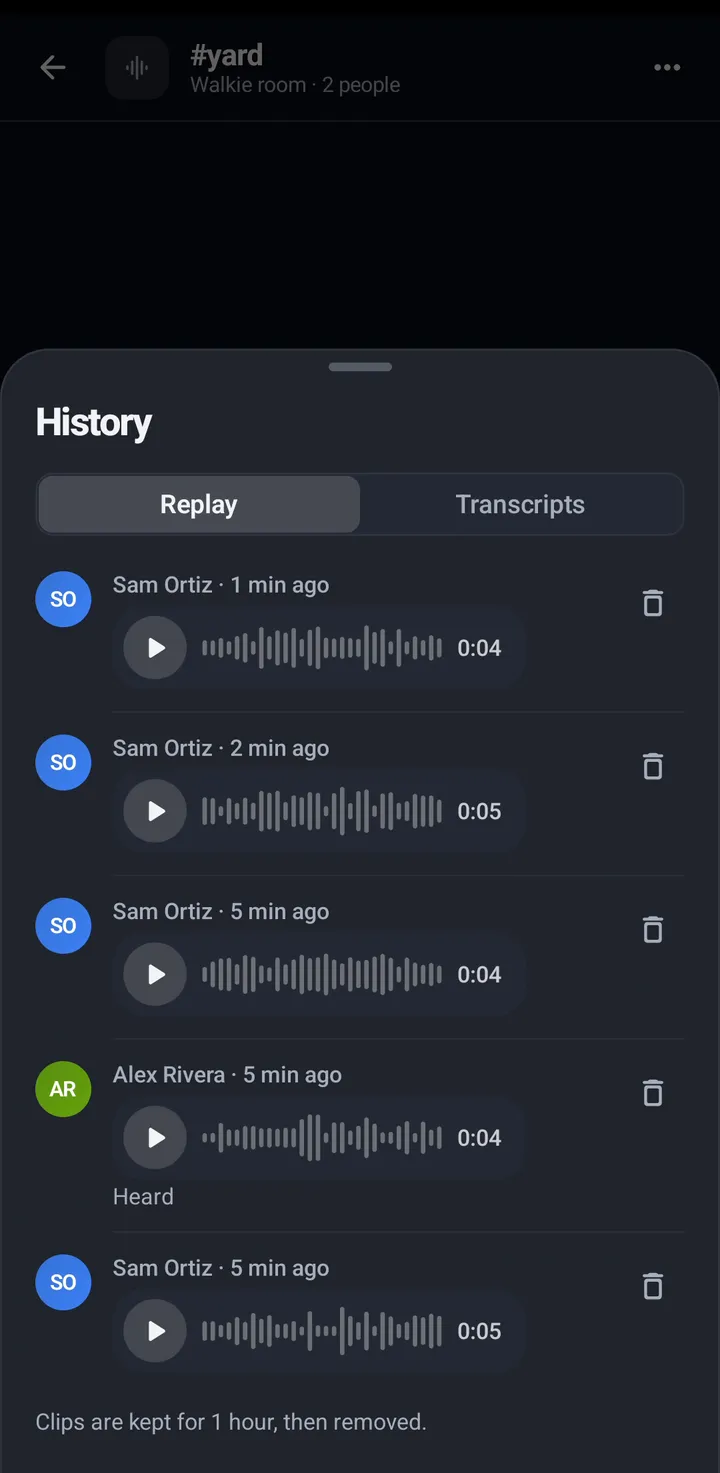
- Read them in History › Transcripts, or tap the last line on the room screen.
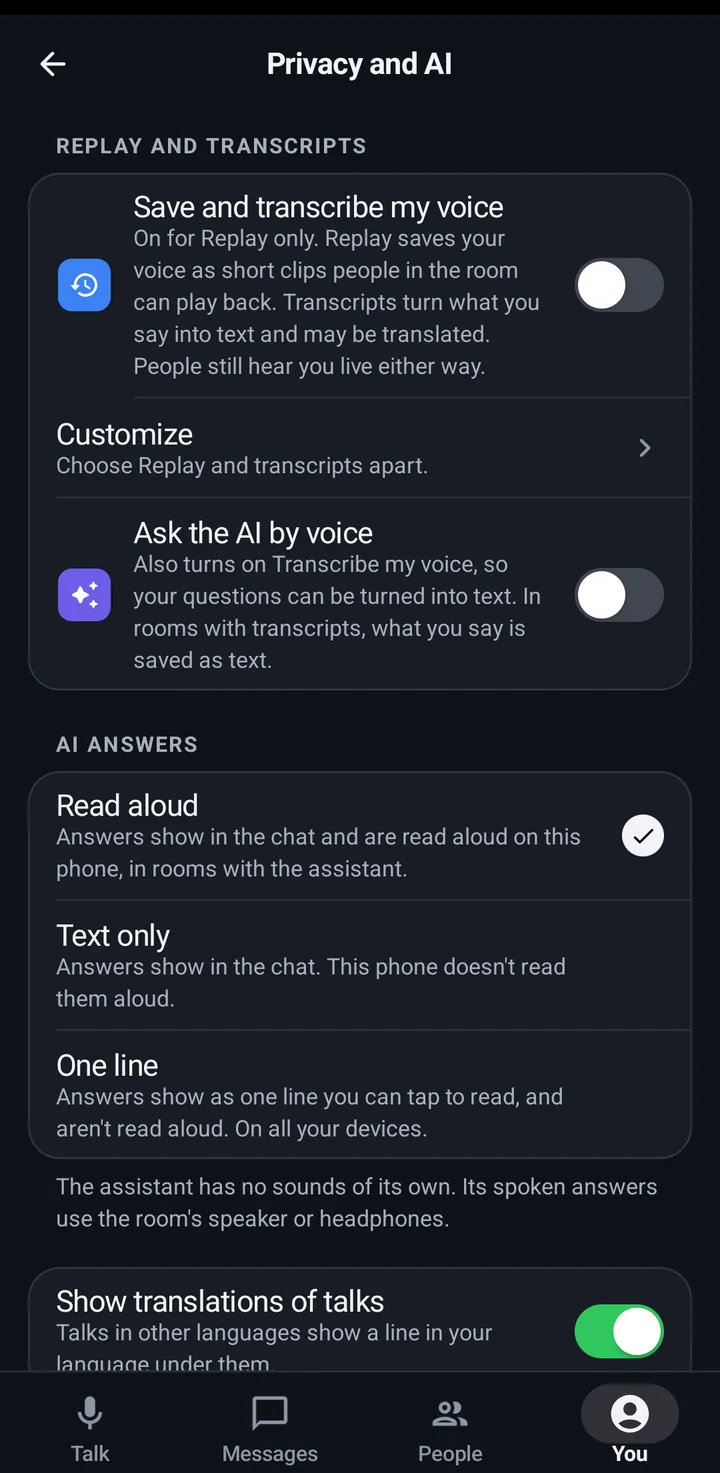
- Your switch: You › Privacy and AI › Save and transcribe my voice. Under Customize, Transcribe my voice is the text half on its own.
Watch
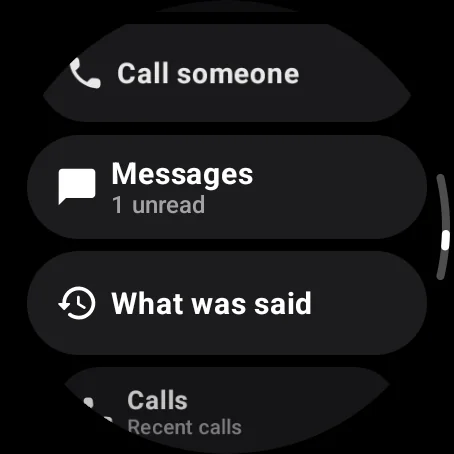
- Tap the What was said icon beside the talk button (on the right by default), or swipe up and tap What was said directly under Messages, with the newest line shown beneath it. It shows up to 30 transcript lines. In this room still shows recent lines too.
- The missed-talks card has What was said under Play. The KeyUp Talk button shortcut screen also has What was said under Stop; it ends your talk before opening the text. Back returns to where you opened What was said.
- To delete a line you are allowed to delete, tap the line to show a separate Delete for everyone button. Wait a moment, then tap that button. It ignores taps just after it appears, so double tapping the line never deletes it.
- The question names the provider when the Space uses its own key.
- Your switch: Settings › You › Privacy › Save and transcribe my voice.
Web app and iPhone
- The room card shows Transcribing with Allow. When the Space uses its own key, the question names the provider.
- Your switch: You › Privacy and AI › Save and transcribe my voice.
Still stuck? Email support@keyupradio.com. Tell us your phone and watch model and what you tried.